

An ATS-friendly CV is easy for both recruitment software and a human reader to understand. That does not mean stripping away all personality. It means using a predictable structure, clear evidence and formatting that survives upload, parsing and a fast recruiter review.
This guide explains how to build an ATS-friendly CV in 2026, what applicant tracking systems commonly read, which mistakes create avoidable risk and how to check your document before applying.
What does ATS-friendly mean?
An applicant tracking system stores applications and may extract information such as your name, contact details, roles, employers, dates, education and skills. Some employers also use search, filtering or matching features to find relevant applications. The ATS is only one part of the process: a recruiter still needs to understand your evidence quickly.
An ATS-friendly CV uses clear headings, a logical reading order and job-relevant language while remaining accurate and readable.
No template can guarantee an interview or “beat” every system. Different employers configure different tools and selection rules. Your practical goal is to remove formatting obstacles and make relevance obvious.
1. Start with a simple information hierarchy
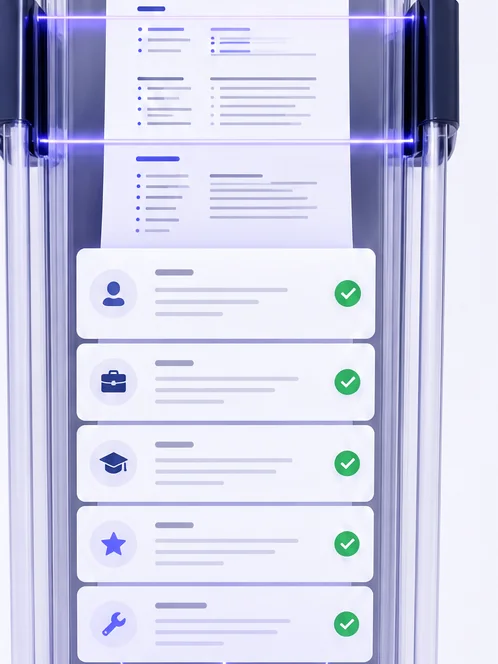
Use familiar section headings so software and people can recognise the content. A strong order for most candidates is:
- Name and contact information
- Professional summary
- Work experience
- Skills
- Education
- Optional projects, certifications or languages
Move sections when the role requires it. A recent graduate may place education and projects before limited work experience. A senior specialist usually leads with recent impact. Avoid creating a section just because a template offers one; space should support the target job.
2. Use formatting that survives parsing
Choose a clean layout with sufficient contrast. Use black or very dark text on white or light areas. If a template has a dark sidebar, keep all text on that area white. Decorative colour should support hierarchy, not carry essential meaning.
Avoid putting critical contact information only inside a header, footer, image or text box. Do not use an image of text. Tables and multi-column layouts can work in some systems, but a straightforward reading order remains the lowest-risk choice when an employer provides no guidance.
Recommended document choices
- Use common fonts at a readable size.
- Keep body text around 10.5–12 points in the exported document.
- Use consistent dates, for example “Jan 2023 – Present”.
- Prefer standard bullet characters.
- Export to the format requested in the vacancy.
- Open the final file and confirm no content has moved or disappeared.
Explore CVGeniusLab CV templates designed around clear contrast and recognisable sections.
3. Match language without copying the vacancy
Keywords help only when they truthfully describe your experience. Read the job description and identify repeated responsibilities, tools, methods, qualifications and outcomes. Then use the employer’s terminology where it matches what you actually did.
For example, if the vacancy asks for “customer onboarding” and your CV says “helped new clients get started,” you can use the more specific phrase. Do not add a tool, certification or responsibility you do not have.
Build a small keyword map
- Copy the essential requirements into a working note.
- Mark each one as strong evidence, partial evidence or no evidence.
- Place strong evidence in your summary, experience or skills.
- Address partial evidence honestly with adjacent, transferable capability.
- Leave out unsupported claims.
A CV and ATS check can help you spot missing language, but the score should guide review rather than replace judgement.
4. Write experience bullets with evidence
Recruiters need to see the setting, your action and the useful result. Start with a specific verb, name the work and add scale or outcome when you can verify it.
Weak example
Responsible for monthly reporting and supporting the finance team.
Stronger example
Prepared monthly management reports for five business units and introduced a reconciliation checklist that reduced late adjustments.
The stronger version gives the reader a task, scale and improvement. Not every bullet needs a percentage. Useful evidence also includes team size, customer type, project scope, delivery frequency, process change, quality improvement or time saved.
5. Keep the summary specific

A professional summary should answer three questions: what kind of professional are you, where is your strongest evidence, and what value is most relevant to this role? Avoid generic claims such as “hard-working team player” unless the next sentence proves them.
Example: “B2B account manager with six years of experience in SaaS renewals and expansion. Manages complex stakeholder relationships and builds account plans around adoption, risk and measurable customer outcomes.”
6. Run a final ATS-friendly CV checklist
- The target role is clear near the top.
- Contact details are written as normal text.
- Section headings are familiar and consistent.
- Recent experience contains evidence, not only duties.
- Important job language appears naturally and accurately.
- Text has sufficient contrast at 100% zoom.
- Spelling, tense, dates and punctuation are consistent.
- The file opens correctly in the requested format.
- The filename is professional, such as Firstname-Lastname-CV.pdf.
Common ATS CV mistakes
The most common problems are more ordinary than mysterious: vague content, dense pages, inconsistent dates, tiny fonts, missing role language and important information placed in decorative elements. Keyword stuffing is also risky because it produces poor writing and can undermine credibility with the human reviewer.
Build from a clear base document, tailor it to the vacancy and keep a copy of the exact version you submitted. The CVGeniusLab builder helps you organise sections, review content and export a focused version for each application.
Frequently asked questions
Should an ATS-friendly CV be one page?
Not automatically. One focused page can suit early-career applicants. Two pages are often reasonable for experienced professionals when every section remains relevant. Clarity matters more than forcing a fixed length.
Should I use PDF or DOCX?
Follow the employer’s instructions. If no format is specified, a well-exported PDF preserves layout, while DOCX may be requested by some recruitment processes. Always test the final file.
Can I use colour?
Yes, with restraint and strong contrast. Keep essential text dark on light backgrounds and white on dark backgrounds. Never rely on colour alone to communicate section meaning.
Put the guidance into practice
Build a role-focused CV, review its structure and keep every claim grounded in your real experience.